Infrastructure
A detailed view over our Infrastructure
Our Hardware
a detailed overview of our Servers, Switches and Routers that we're using
Our servers
| Model | CPU | Memory | Disk | Name |
|---|---|---|---|---|
| DL360p G8 | E5 2650v2 | 128GB | None | pve01 |
| DL360p G8 | E5 2697v2 | 192GB | None | pve02 |
| DL360p G8 | E5 2697v2 | 128GB | None | pve03 |
| Fujitsu Esprimo Q920 | I5 4590T | 8GB | 256GB | pms01 |
| supermicro cse-847 | E5 2630Lv2 | 128GB | 16TB | fc01 |
| Raspberry Pi 2b V1.2 | Broadcom BCM2836 SoC | 1GB | 16GB | ws01 |
Our Switches
| Model | Name |
|---|---|
| HP A5500 JG312A | ms01 |
| D-Link DGS-1224T | bs01 |
| Brocade 300 | fc01 |
Our Routers
| Model | CPU | Memory | Disk | Name |
|---|---|---|---|---|
| Custom Build RouterOS | I5 2400 | 16GB | 1TB | Router01 |
Storage Setup
Everything we store is kept on the storage server or on external storage boxes. None of the big nodes have their own Disks.
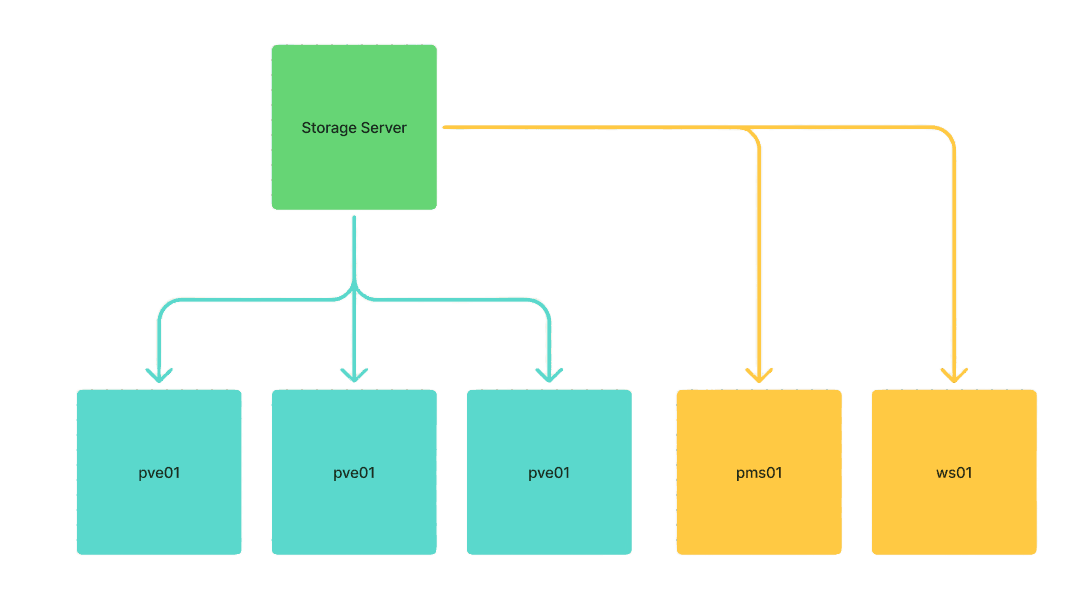
The storage server is marked in green. This is where all the data is stored.
The servers marked in blue are the servers that use the Fibre Channel network.
The servers marked in yellow are the servers that receive their storage over the NFS network.
The Fibre Channel network is an 8G network. The storage server itself has 4x 8G ports, and each node has 2x 8G ports.
Network Layout
External Connectivity
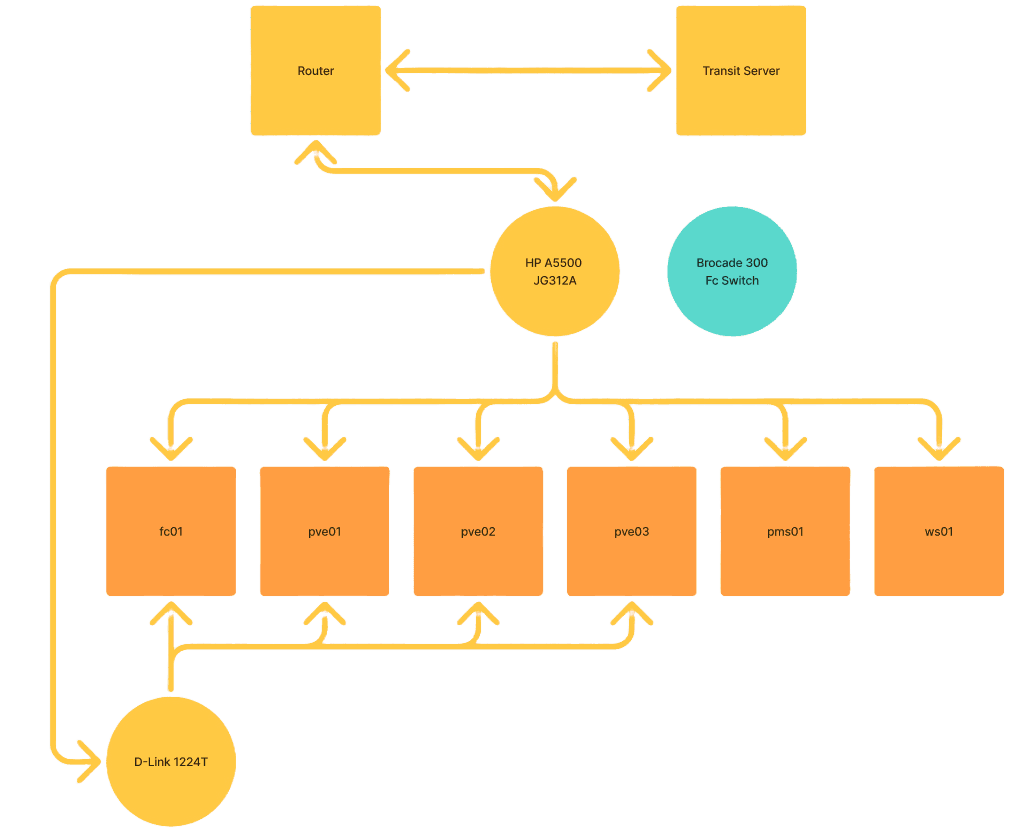
The router is connected to a transit server via a WireGuard tunnel. We receive our IP addresses through this WireGuard tunnel. Additionally, the tunnel provides us with direct IP Projects DDoS protection.
Switching
The router is connected to the HP A5500 (JG312A), a Layer 3-capable enterprise switch that acts as the central distribution point for the network. Several connections originate from this switch:
- Brocade 300 FC Switch: A dedicated Fibre Channel switch for SAN connectivity. It is connected to the management network.
- Our 6 Servers: pve01-pve03, pms01, ws01, fc01
- D-Link 1224T: Switch providing internet connectivity throughout the building (cameras, APs, printers, PCs, etc.)