Plugins
Simple Voicechat
Configuration of the Voice Chat Plugin
Simple Voice Chat
This guide only covers how to configure the ports used by Simple Voice Chat. Nothing else is covered.
Installation
Navigate to the Plugin Manager on your server and search for Simple Voice Chat.
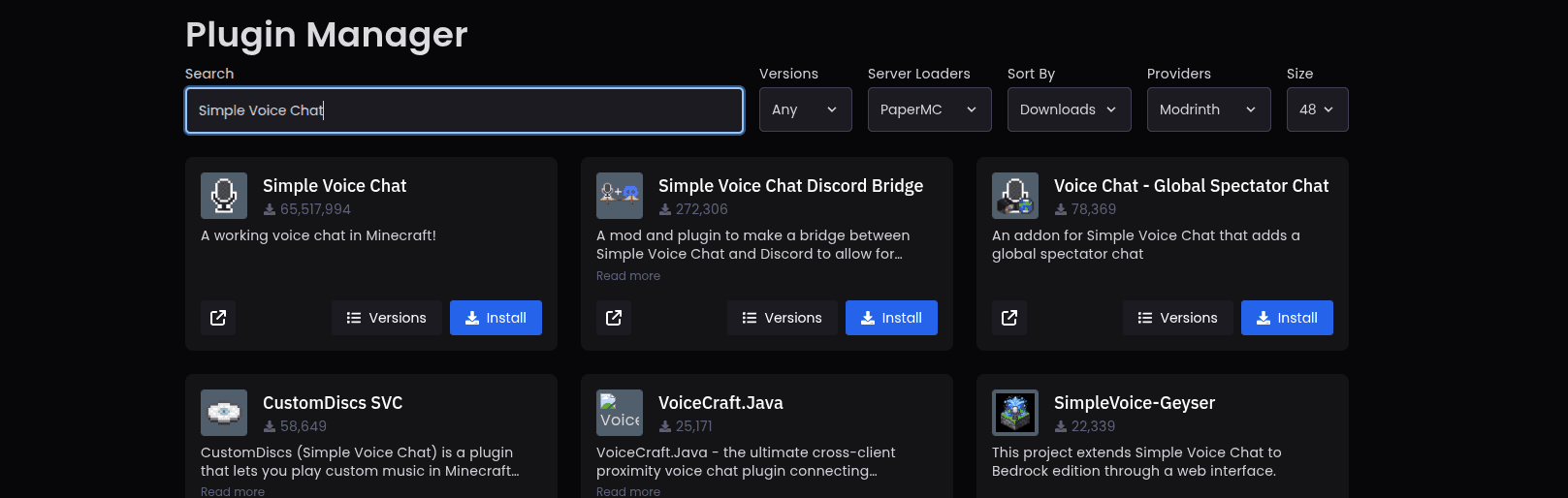
Simple Voice Chat is the correct result. In the image above, it is the first result.
Configuration
Navigate to plugins/voicechat/voicechat-server.properties. The settings shown below are the ones you need to configure:
port=24454

voice_host=
Set port= to the backend port of the allocation you want to use.
Set voice_host= to the frontend IP and frontend port of the same allocation, using the following format:
frontendIP:frontendPortFor example, if the allocation has the following values:
- Frontend IP:
185.14.93.87 - Frontend Port:
20234
Then your voice_host should be:
voice_host=185.14.93.87:20234Understanding Allocations
For more information about allocations, see the Allocations guide.